Program Analytics
Review target performance and recorded mastery together, including programs that use N-of-M completion.
Review the program together
Open a program from the client’s Programs tab to compare target performance and recorded mastery. Use the date range and aggregation controls to choose the period you want to review.
Separate performance from mastery
The target graph shows collected results over time. Open an individual target when you need its detailed data and objective progress.
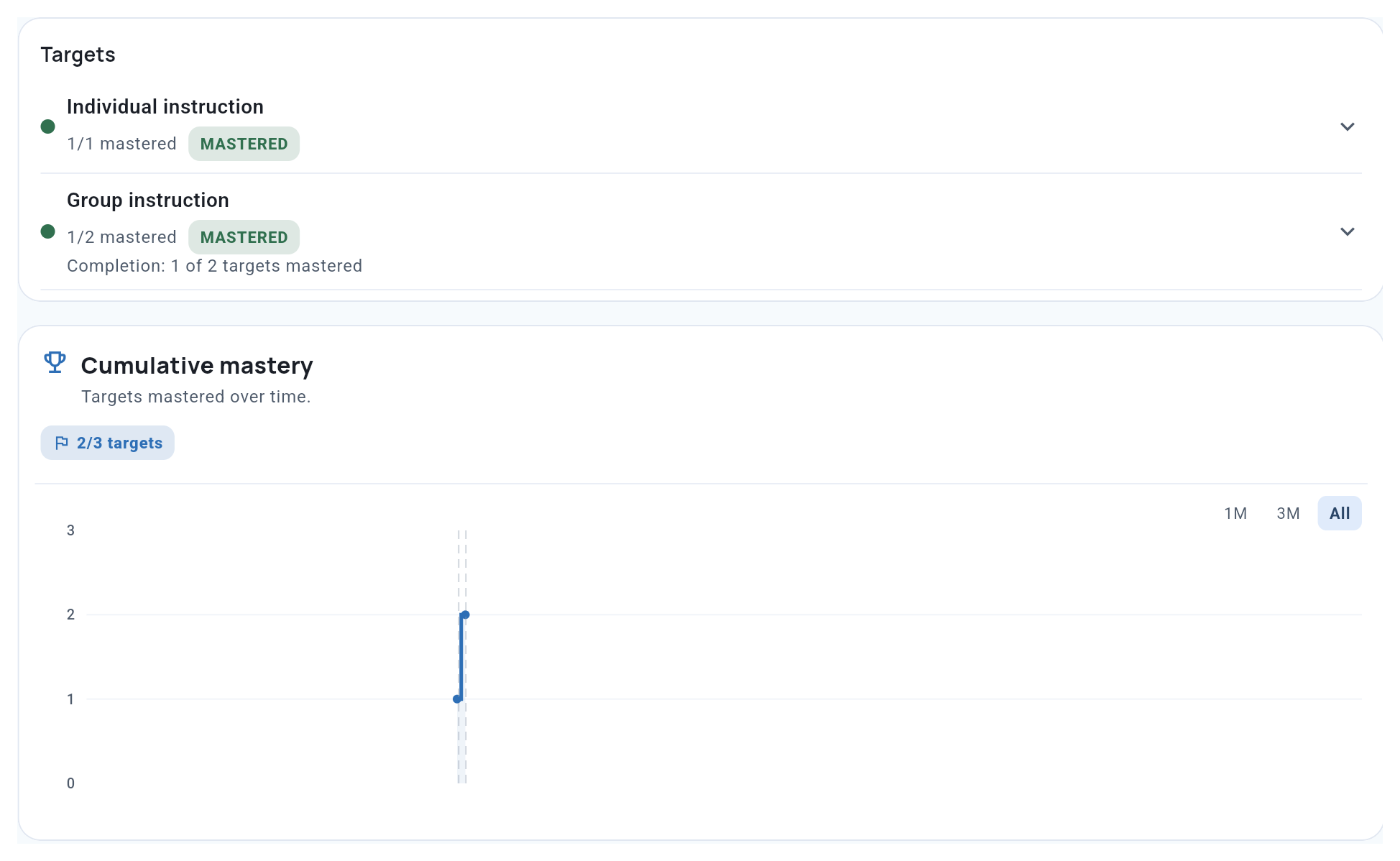
The mastery summary counts targets with recorded mastery. The cumulative chart groups targets by their currently saved mastery dates. Reopening a target can change the chart. A step is not simply a data point reaching the threshold.
Read the two together. A flat section shows no additional saved mastery dates in that interval, even when target performance is changing.
Read phase completion in context
Check each phase’s completion rule. Under N-of-M, a phase can be mastered while some targets remain unmastered. A completed program therefore does not always mean every target is mastered.
Use the target list to see which targets are current, mastered or still unfinished, then choose the next action: review an objective, change the plan, or include a target for follow-up collection.
Related guides
- Objectives & Mastery Criteria - Understand calculated progress and recorded mastery.
- Auto-Progression and Mastery - Read completion rules and program states.
- Working with Graphs - Inspect individual target results.