Objectives & Mastery Criteria
Set measurable objectives, review progress against your criteria, and choose what to work on next.
Choose how to track mastery
Use objectives when a target needs measurable steps toward a larger goal. TallyFlex compares collected data with the current objective’s criteria. The responsible practitioner reviews the evidence and decides when mastery should be recorded.
For a target without objectives, write its mastery criteria and record target mastery directly after reviewing the evidence.
Open the target from Programs, then use its options menu → Manage mastery. You need editing access to manage objectives and mastery.
Add an objective
In Objectives, select Add Objective. Give it a recognizable name, then choose the threshold, Period (Session, Day, or Week), and number of Consecutive periods.
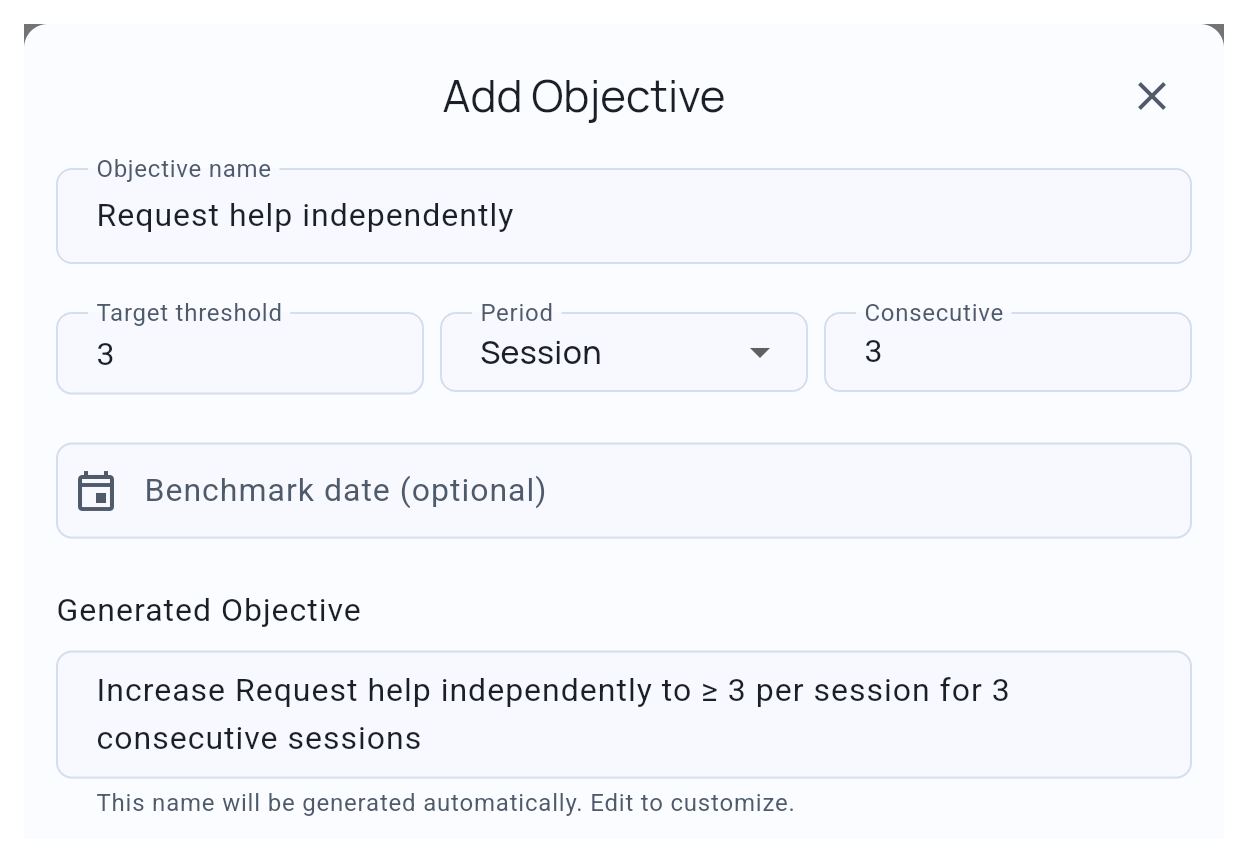
For numeric thresholds, Increase means at or above the threshold; Decrease means at or below it. Review the generated objective text before adding it.
Set the objective you want to work on to In Progress, then save the target. Keep later objectives Pending, or use On hold when you are not ready to work on one.
Add an optional benchmark date
Benchmark date (optional) records a planned date. It does not change the criteria or mark an objective mastered. You can show it on the graph or include it in a Progress report.
Review and record mastery
Open the target to see the current objective’s progress. When eligible evidence meets its criteria, Review mastery lets you review and confirm the decision.
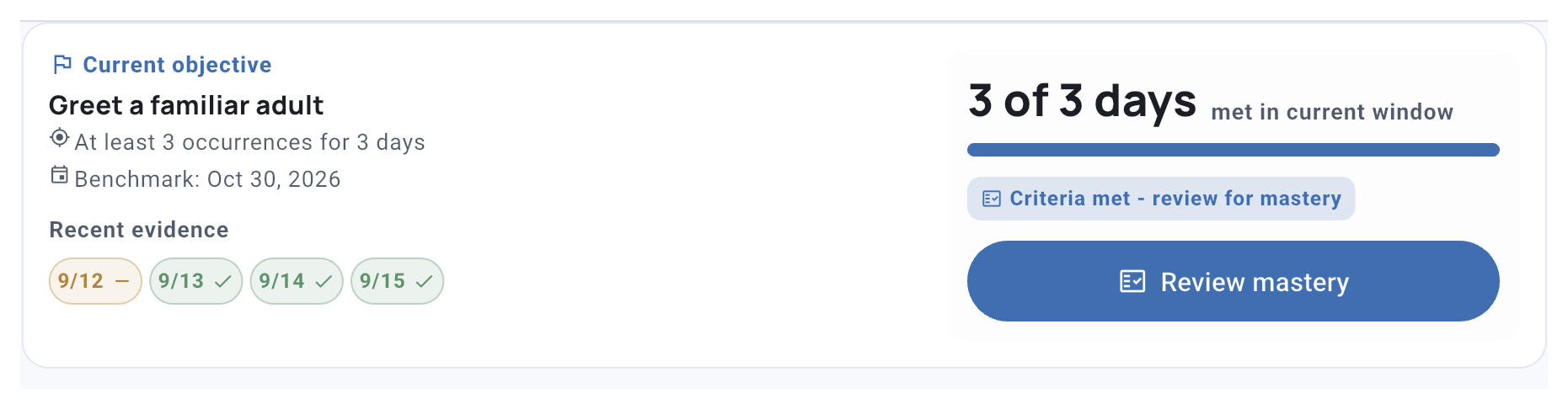
- Current objective: criteria met Evidence supports review.
- You review the data Record mastery when ready, or keep collecting.
- Objective mastery recorded
No objectives? Review the written target criteria and record target mastery directly.
To change a recorded decision, open Manage mastery, choose Revert to In Progress in the relevant objective’s menu, and save. Reopening an objective makes the target unfinished again while preserving its observations.
Understand which periods count
Progress counts eligible periods that start after you set the objective to In Progress. If you start an objective partway through a day or week, that current daily or weekly period is excluded. Several observations on one day count as one daily period; a date with no data does not automatically break the streak. Session criteria use session results, while manual entries contribute to daily and weekly totals.
Baseline-only days and weeks are excluded. Session criteria can include Baseline sessions, and days or weeks containing both Baseline and Intervention use their combined data. Review the period and recording mode alongside the result.
Record mastery without objectives
In Manage mastery, write your criteria under Target Mastery. For a saved target without objectives, select Mark as Mastered when your review supports that decision. Written criteria describe your decision rule; TallyFlex does not calculate them as an objective threshold.
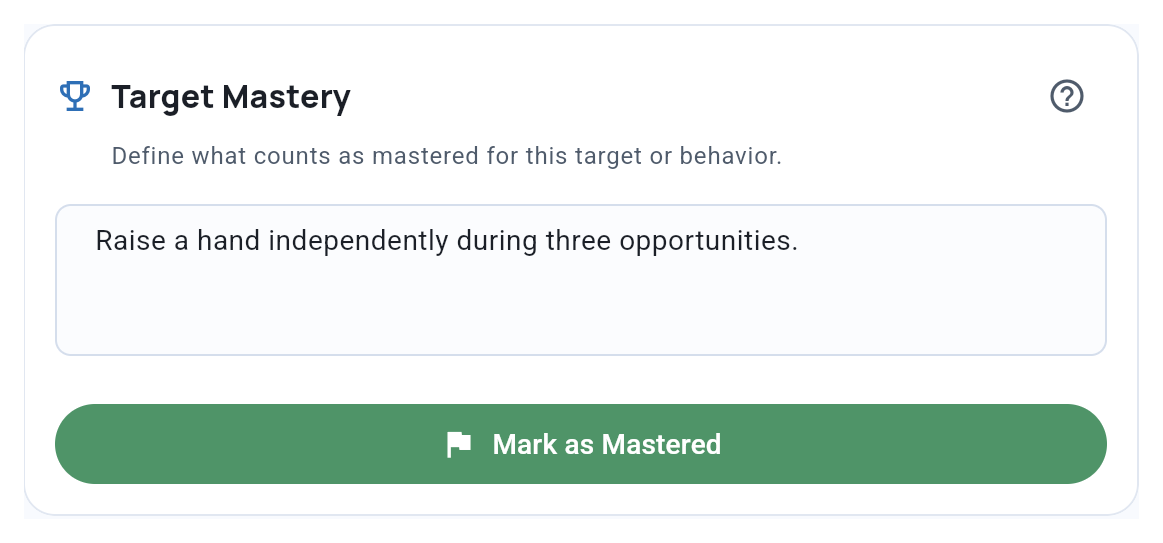
Use Reopen target if you need to return it to unfinished work. To collect a maintenance check without reopening it, choose it for the next session.
Create several objectives
Choose Generate to build a sequence toward a goal. Set the starting value, goal and progression, then review the preview before adding it and saving the target.
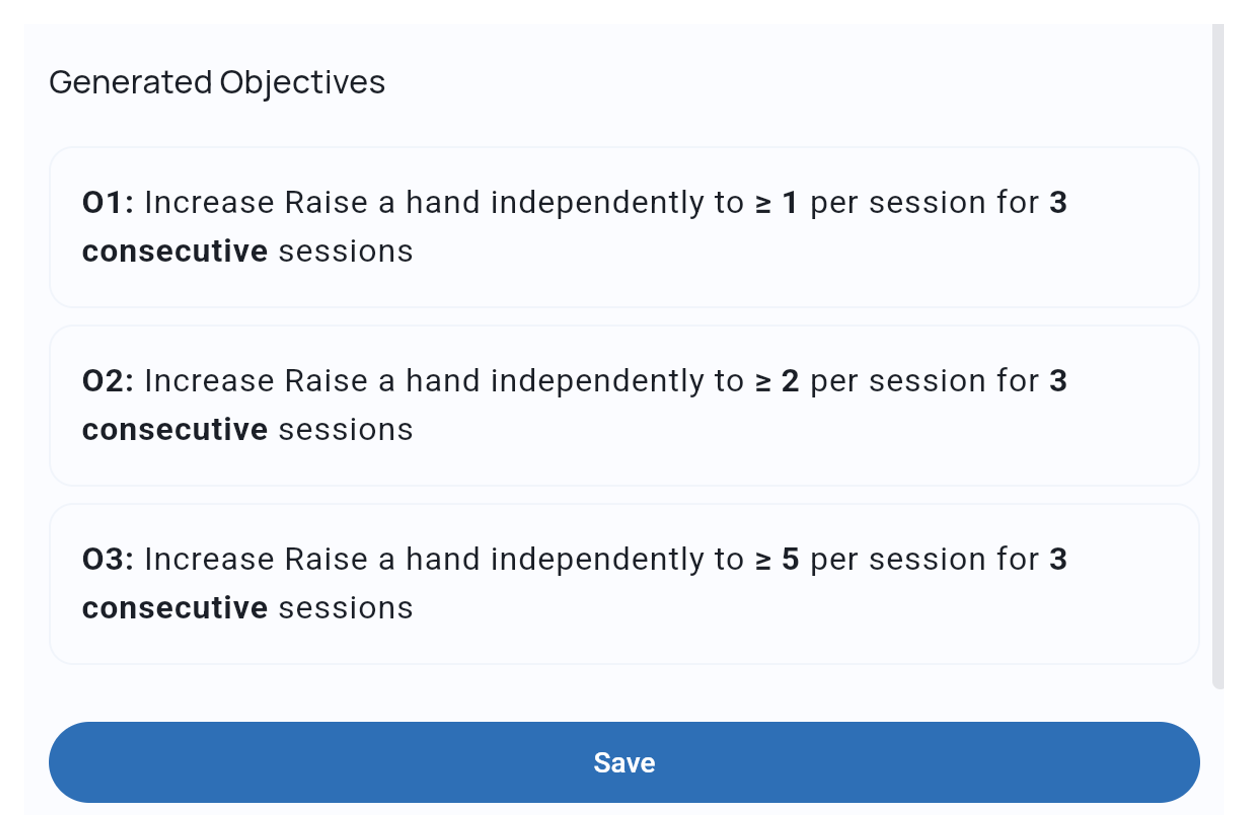
If objectives already exist, TallyFlex asks before replacing them. Use Add Objective to keep the current set and add one more.
Related guides
- Understanding Programs - See how objectives fit within targets and phases.
- Auto-Progression and Mastery - Understand what happens after target mastery.
- Task Analysis Setup - Configure criteria for multi-step skills.