Auto-Progression and Mastery
Choose phase completion rules, start the next phase, and keep mastery separate from collection choices.
From target mastery to the next phase
You record mastery after reviewing a target’s evidence. TallyFlex then checks the phase’s completion rule. With Auto-progress phases enabled, completing the current phase starts the next phase that has not started.
- Target mastery recorded
- In-progress phase meets its rule All targets or the configured N-of-M have recorded mastery. Other targets remain unmastered.
- Phase completes
When another phase remains:
Choose the phase’s completion rule
When creating a program, add phases and choose each phase’s completion rule:
- All targets mastered: every target in the phase must have recorded mastery.
- Specific count mastered (N-of-M): a chosen number must have recorded mastery, such as two of three targets.
Meeting an objective’s numerical criterion is a prompt for your review. It does not by itself record target mastery or complete a phase.
With N-of-M, completing the phase leaves the remaining targets unmastered. They are still available for deliberate follow-up; completion does not change their individual mastery decisions.
Start the next phase
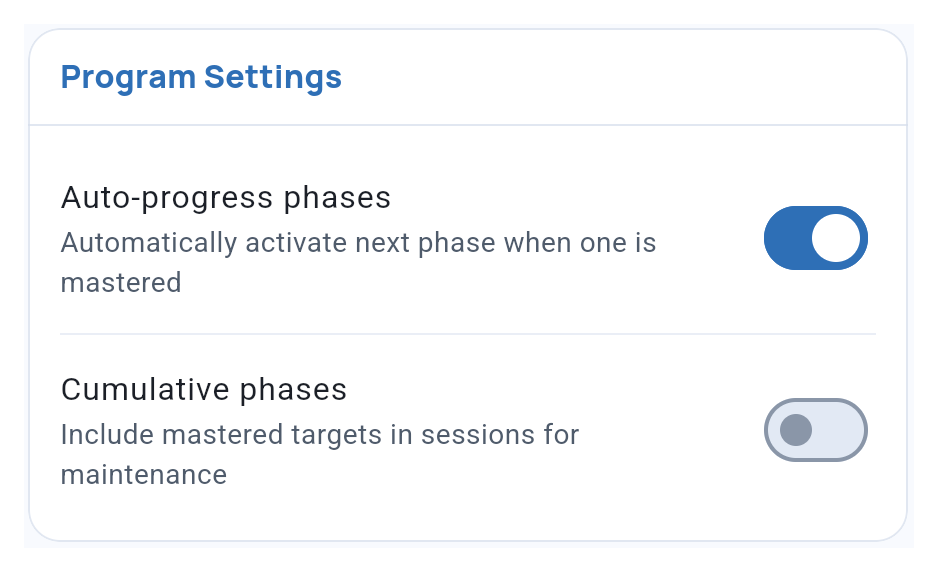
In Program Settings, turn on Auto-progress phases if you want the next phase to start after the current one is mastered. Leave it off to start the next phase yourself.
A phase On hold waits for you to resume it. Paused and archived programs do not automatically advance. Starting another phase also does not change its targets from Baseline to Intervention.
Keep mastered work available
Cumulative phases includes mastered targets from completed phases of an active program in new sessions. Use this when those targets belong in the current maintenance plan. It does not schedule probes or decide how often to collect them.
For an occasional check, use Show mastered/completed during session selection instead. See Programs in Sessions.
Complete, pause or archive
| State | What it means for your work |
|---|---|
| Completed | All phases have met their completion rules. Follow-up collection remains available by choice. |
| Paused | Put the program’s collection and automatic advancement on hold. |
| Archived | Remove the program from ordinary collection while retaining its saved records. |
Archiving a target does not remove it from its phase’s completion requirement. Change the phase’s target membership if the target should no longer be part of that requirement.
Reopen work when needed
If you reopen a target or objective, the phase and program return to unfinished work when their completion rules no longer hold. A paused or archived program stays paused or archived.
Restoring an archived program preserves its target mastery. To change mastery itself, use Manage mastery.
Related guides
- Objectives & Mastery Criteria - Review and record target mastery.
- Programs in Sessions - Choose current work and follow-up targets.
- Program Analytics - Read recorded mastery alongside performance.